| FrendSoft | FrendSoft |
 |


|

RichTextEdi
FrendSoft RichTextEdi 1.3: The new FREEWARE version is released!
RichTextEdi is more than a, as the name suggests, rich-text editor. In addition to an interchangeable user interface design, offers some original features and, as is usual for FrendSoft, easy customization of language and culture, as available on the PC. File formats are Rich Text (rtf, wri), Text and Hypertext Markup Language (HTML). Highlight, its own compressed storage format with a high compression rate and fast saving and loading. In the full version there are more file formats. RichTextEdi offers several background and document view themes. One can set this up quickly. This allows displaying different files in different designs, thus easy recognizable, on the screen at the same time! The name and the entire path can be seen in the title bar. Useful for working with several open files, especially if they have the same name, but also otherwise, for a better overview! We hope you enjoy some of the designs too. For more, please read below.
This is the promised update, sorry again for the big delay! .Net is already pre-installed on every Windows PC. A suited .Net version could be already present on your PC, then installation will detect that and not install useless .Net versions or runtime libraries. This program only works with MS Windows®. The 32-bit version runs on Windows 7 SP1 and both, 32-bit and 64-bit versions run on Windows 8, Windows 8.1, Windows 10, Windows 11 and other 64-bit platforms. For more details, please consider the helpfile or the RichTextEdi_Readme.txt file.
For customers - safety and benefit, the installation files and the EXE have been digitally signed! You can be sure that the EXE has not been modified and really comes from FrendSoft! Installation should be possible directly, if not simply click "Install anyway" or something similar.
Maybe, only marginal reduced in functionality, with different realized user interface, a 32-bit version of RichTextEdi 1.3 running on older Windows platforms like Windows XP, Windows Vista, etc. will be published later if request is found. Until then the older RichTextEdi 1.2 version will remain available for download. Attention: It contains some limits in existing and less functionality and not ideal implementations compared to the 1.3 version.
| Installation File | Installation File Contents | Name | Size |
| Installs FrendSoft RichTextEdi 1.2 | RichTextEdi and Microsoft® Visual Studio runtime library | FSRichTextEdi_Setup | 15.4 MB |
DOWNLOAD at SOFTONIC:

is virus-free, thank you!

RichTextEdi FREEWARE
What is new in the 1.3 release? See the Readme file for details and more detailed in the helpfile. Here are just some revealed. The number of designs has grown to 9 with 3 (2 neutral: black or white) color designs, for people who don't like colorful patterns. Much improved were Language switching (e.g. RichTextEdi now recognizes the language set on the PC when it is first started and resets it again when the window is closed), management of templates (more templates, backup of templates, multiple sections template, etc.). Some functions (features) from the full version have been released in the freeware version. There were added menus and buttons. And much more.
The full version contains still much more of special features and also known word processing features. Especially the HTML format loading, editing, and saving is there more relevant and limited in the FREEWARE version. It contains also more designs and valuable templates and additional file open and save formats, like Microsoft *.doc, *.docx, *.pdf and includes additionally a Spreadsheet program possibility which can open and save Excel files in the *.xlsx format. Instead of publishing several language versions, which we would like to have in principle, for all SW from FrendSoft, we intend to make programs switchable overall during use, not just in terms of background and design, but also regarding the menu and user language. This could be included in the full version as a language package option as well as single language installers.
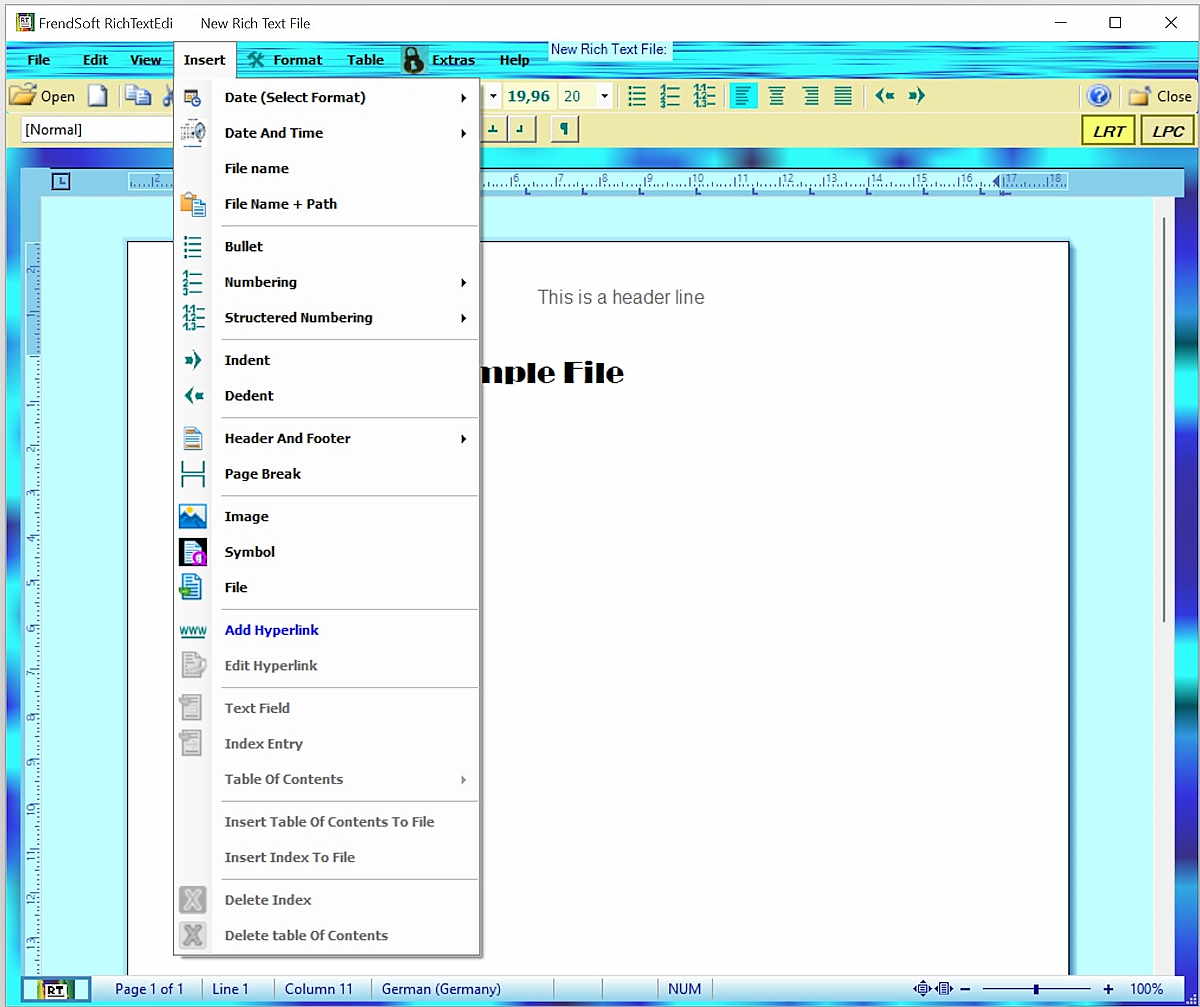
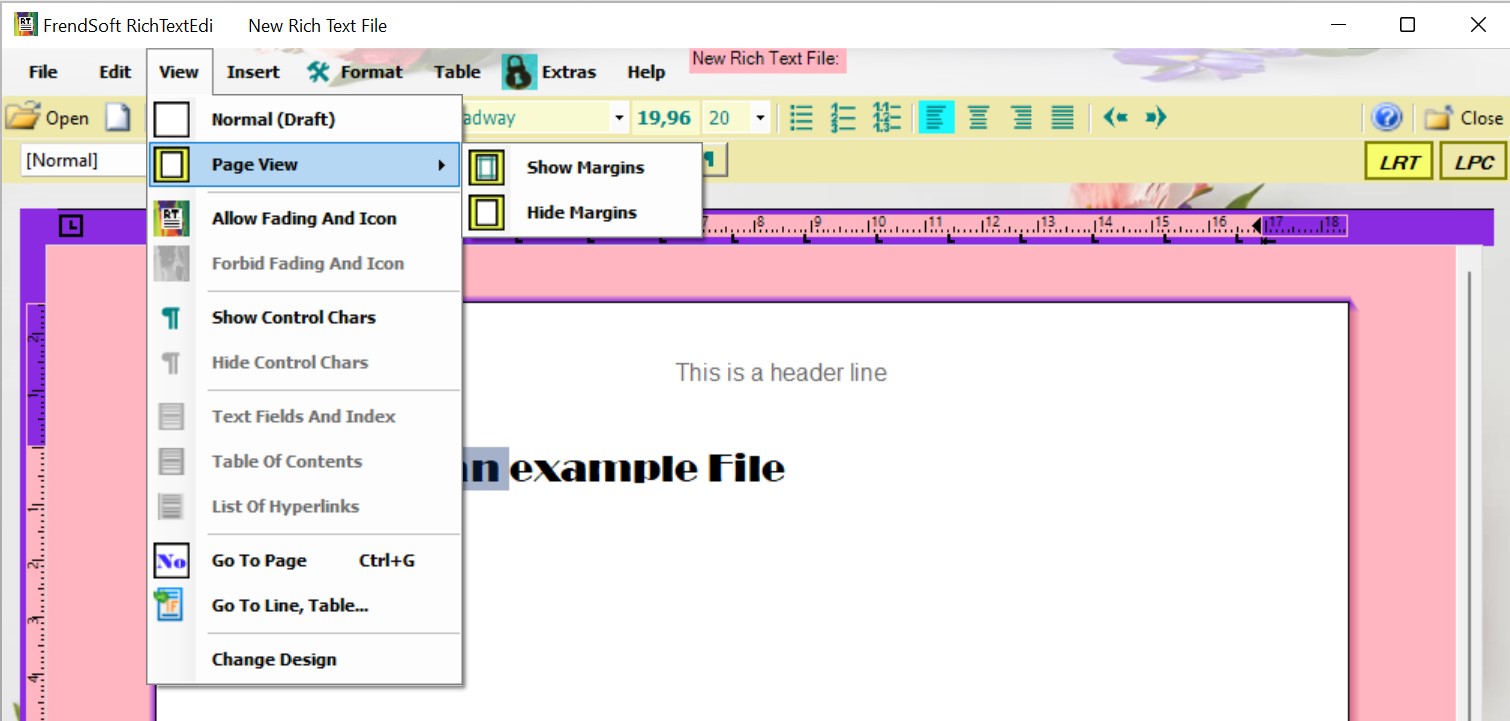
The picture shows RichTextEdi, the Freeware. The grayed-out entries in the Insert menu are not available in the Freeware, except the hyperlinks. The second picture shows the menu View in which lists and fields are greyed out because they are not available in the freeware. The other design just shows another possibility. The link below at "Software ideas, Software" leads to more information about the full version. For more information to word processing, special and all features one can read in the help file, available for download here. It refers to the Freeware.

Our Offer
Freeware TextEdi
Simple text editor with extras - is freeware and stays freeware.

Software Ideas, Software
The software ideas that can only be realized commercially for us for social and cost reasons, which should bring real benefits in comparison to the market offer and practical, intuitive applicability, we also try to make them available as shareware and at affordable cost.
Data Encryption
FrendSoft uses the most reliable known encryption algorithms such as AES and RSA, dedicated in various applications. Then what's new?